crispy

Double VPN is a VPN setup that sends your traffic through two VPN servers instead of one before it reaches the website or service you are using. It is mainly useful when you want stronger separation between your real IP address and your browsing destination, but it can reduce speed and is often unnecessary for routine use.
You may also see it called multi-hop VPN or double-hop VPN. The idea is simple: one server sees where the connection starts, another server sees where it goes, and neither single server has the full picture in the same way a normal one-hop VPN server would.
Double VPN meaning: how two VPN hops work
A standard VPN creates an encrypted tunnel between your device and a VPN server. Websites then see the VPN server IP address instead of your home, hotel, office, or mobile network IP address. If you are new to that basic model, start with what a VPN is or the more technical guide to how a VPN works.
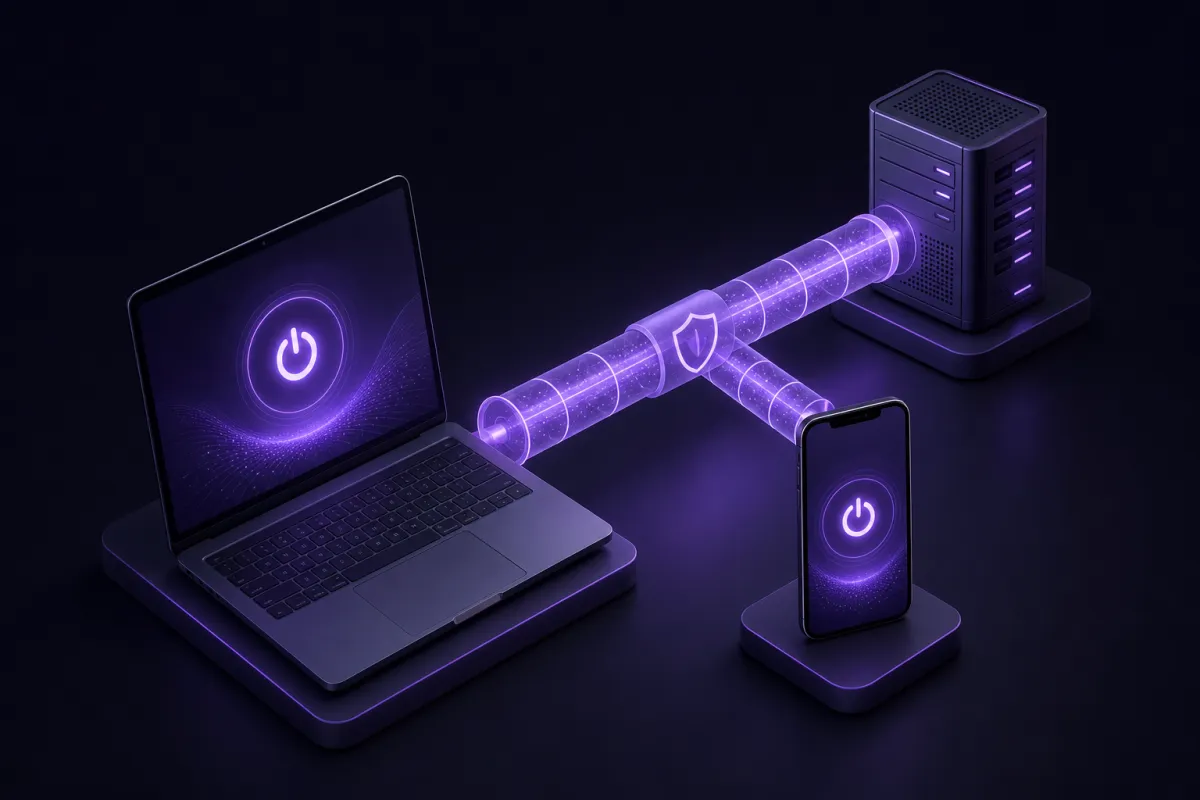
Double VPN adds a second VPN server to the route. Your device connects to the first VPN server, the first server passes traffic to a second VPN server, and the second server connects to the website or app service on your behalf.
In a simple example, you might connect from your laptop to a VPN server in one city, then from there to another VPN server in a different city. The site you visit sees the second server as the source of the connection. Your internet provider sees that you connected to a VPN, but not the websites inside the encrypted VPN tunnel.
What each point in the path can usually see
- Your internet provider: can see that you are sending encrypted traffic to a VPN server, but not the contents of your browsing inside the tunnel.
- The first VPN server: can see your incoming IP address and that traffic is going to the second VPN server.
- The second VPN server: can see the destination website or service, but sees the first VPN server as the previous hop, not your original IP address.
- The website: sees the IP address of the second VPN server, plus anything you reveal through your account, browser, cookies, or device behavior.
This does not remove the need for HTTPS. A VPN protects traffic between your device and the VPN provider, while HTTPS protects the content between your browser and the website. Most modern sites use HTTPS, and you should still pay attention to browser warnings.
Multi hop VPN threat model: what it helps with
A multi hop VPN is most useful when your concern is not only hiding your IP address from websites, but also reducing how much any single network point can know about the whole connection.
The main benefit is separation. With one VPN server, that server is the place where the incoming user connection and outgoing website connection meet. With two hops, those roles are split. The first hop is closer to your identity, because it receives your connection. The second hop is closer to your activity, because it connects to the site.
That can matter for journalists, researchers, activists, business users handling sensitive browsing, or anyone working on networks they do not fully trust. It may also be useful when you prefer an extra privacy layer on public Wi-Fi, hotel Wi-Fi, or shared office networks.
Crispy VPN uses a no activity logs approach and a two-party relay design that separates who you are from what you do. You can read more about the service’s privacy approach in the privacy policy and the plain-language transparency page.
What double hopping changes
Double hopping changes the network path. It does not change the fact that the website can identify you if you sign in, if you reuse tracking cookies, or if your browser fingerprint is distinctive. It also does not stop malware, phishing, or unsafe downloads. A VPN is a transport privacy tool, not a full security suite.
Double hop VPN limits: what it does not solve
A double hop VPN can improve separation in the VPN path, but it should not be confused with anonymity. If you log into a social network, email account, banking site, or work dashboard, that service still knows it is you because you authenticated.
It also does not erase your browser history, block every tracker, or make unsafe websites safe. If a site uses tracking pixels, account identifiers, cookies, or device fingerprinting, a VPN route alone cannot remove all of that context.
There are also practical limits. Some services may ask for extra verification when your IP address changes. Some sites treat VPN traffic differently from residential traffic. Some corporate systems require a specific region or a known access method. Double VPN is not a magic compatibility setting, and adding a second hop can sometimes make sign-ins or location-sensitive services more complicated.
Finally, double VPN does not replace basic account hygiene. Use strong passwords, multi-factor authentication where available, updated devices, and careful judgment before opening files or entering credentials. If your main concern is preventing exposed traffic when a VPN drops, learn how a VPN kill switch works and whether it fits your device.
The speed cost of double VPN
Double VPN usually costs speed because your traffic travels through two VPN servers instead of one. That means more distance, more routing, and more encryption work. The difference may be small on a fast connection with nearby servers, or it may be obvious if the two hops are far apart.
Latency can increase too. Latency is the delay before data starts moving back and forth, and it matters for calls, gaming, remote desktops, and other real-time services. A normal web page may still feel fine, while a video call may feel less responsive.
Throughput can also drop. Throughput is the amount of data you can move per second, which affects downloads, uploads, and high-resolution streaming. If your first hop is near you but the second hop is far away, the route may still be slower than a single nearby VPN server.
What affects the slowdown
- Server distance: longer physical and network routes usually add delay.
- Server pairing: two efficient locations can feel much better than a poorly matched pair.
- Your base connection: a slow or unstable connection leaves less room for extra routing.
- Device performance: older phones, laptops, or low-power systems may handle encryption less efficiently.
- The task: reading articles is forgiving, while video calls and large downloads expose delays quickly.
If performance is your main question, compare double VPN against a regular VPN connection in the same conditions. For a broader explanation of speed factors, see does a VPN slow down internet.
When double VPN is useful, and when it is overkill
Double VPN is best treated as a deliberate setting, not a default for every minute online. The privacy gain is real for certain threat models, but the performance tradeoff means many people should only turn it on when the extra separation matters.
It can be useful when
- You are browsing on a network you do not trust, and you want stronger separation than a single VPN hop.
- You are researching sensitive topics and want to reduce what any one point in the VPN path can connect together.
- You want the destination site to see the second VPN server while the first hop is the one that receives your connection.
- You are willing to accept slower browsing in exchange for that extra separation.
It is usually overkill when
- You are streaming, gaming, or joining video calls where speed and latency matter more.
- You only need basic IP masking on public Wi-Fi.
- You are signed into the same accounts and expecting the VPN route to make you unrecognizable.
- You are troubleshooting a website, payment flow, login challenge, or work tool that is sensitive to location changes.
- Your normal VPN connection already matches your risk level and works well.
The simple rule is this: use double VPN when you can name the privacy benefit you need. If you cannot, a single VPN connection is usually the cleaner choice.
How Crispy VPN double-hop works
Crispy VPN offers double-hop on iPhone and iPad, Mac, Windows, Linux, and the browser extensions. It is off by default, so you choose when to enable it rather than taking the speed cost all the time.
The important detail is scope: Crispy VPN double-hop covers web traffic. In plain terms, it is designed for browsing and browser-based web sessions. Do not assume it changes the route for every kind of background app traffic on every device.
That web focus matters because many people use double VPN for research, reading, account access, admin panels, webmail, and other browser work. If your goal is to protect non-web traffic from a specific app, check how that app connects and test carefully.
Crispy VPN uses WireGuard on every server for its VPN apps. WireGuard is a modern VPN protocol with a small code base, good performance, and battery-friendly behavior. If protocol choice is part of your decision, the guide to what WireGuard is explains the basics.
You can get the apps for iPhone and iPad, Mac, Windows, Linux, Android, Apple TV, Android TV and Google TV, plus browser extensions for Chrome, Edge, and Firefox from the download page. Double-hop availability is limited to the supported platforms listed above, and it remains a setting you turn on when you need it.
Checklist: should you turn on double VPN?
Use this quick checklist before enabling double VPN. It helps avoid turning on a heavier privacy mode when a normal VPN connection would do the job.
- Define the risk. Are you trying to separate your real IP address from a browsing destination more strongly than a single VPN can?
- Check the task. Is this mainly web browsing, research, webmail, or browser-based work?
- Accept the tradeoff. Are you comfortable with slower page loads, higher latency, or lower download speeds?
- Avoid account confusion. If you are signing into sensitive accounts, be ready for extra verification when your network location changes.
- Test the connection. Visit an IP check page, load the sites you need, and make sure the connection behaves as expected.
- Turn it off when finished. If the extra separation is no longer needed, go back to a normal VPN connection for better speed.
For everyday browsing, the best setup is usually the simplest one that fits your risk. Double VPN is a useful tool, but not a badge of being safer in every situation.